To output 4-20mA on the SP1 terminal, use the APM configuration software.
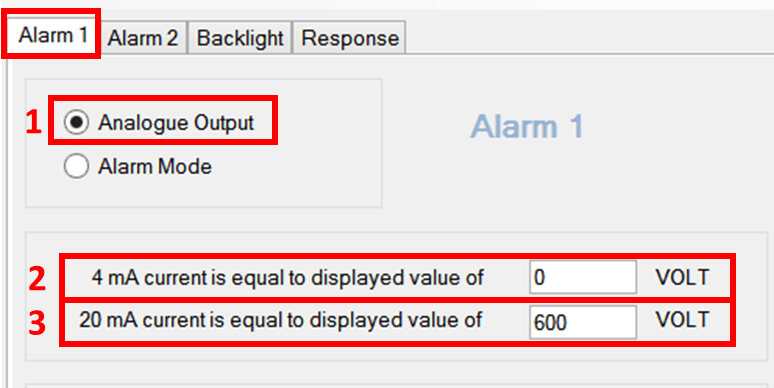
- Select the "Alarm 1" tab. This tab controls the SP1 output, and the "Alarm 2" tab controls the SP2 output.
- Select the "Analog Output" radio button.
- Enter the measured voltage that you want to correspond to 4mA on the output.
- Enter the measured voltage that you want to correspond to 20mA on the output.
- Under APM, select "Write Configuration to APM".
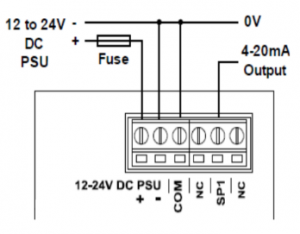
- Connect SP1 and COM to your circuit as shown in the diagram.