
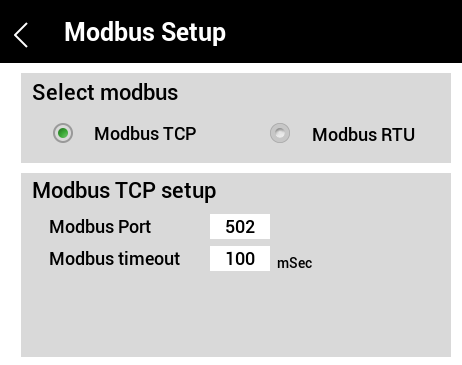
- Modbus TCP setup
- Modbus Port - the port that the Vista Touch meter will communicate with your system via TCP
- Modbus Timeout - the amount of time the master will attempt to send a message
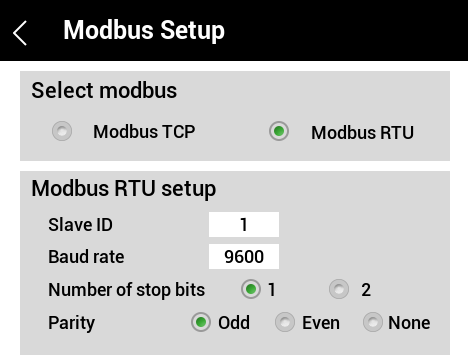
- Modbus RTU setup
- Slave ID - the address of the device, it can take a value from 0 to 247
- Baud Rate - the speed of the data transmission
- Number of stop bits
- Allows time for the reception and processing of the current byte and the preparation for the next byte
- Parity
- Odd, Even or None
*Serial transmission setup requires the speed, the number of data bits, the parity, and the number of stop bits to match the device it is communicating with.