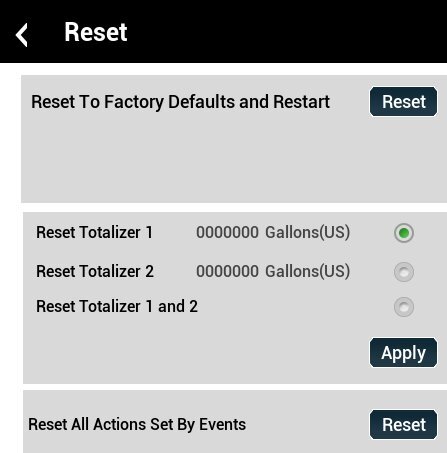
The Reset menu for the Vista Touch Flow offers options to reset totalizers or reset to factory settings.
| Reset to Factory Defaults and Restart | Resets all the settings within the Vista Touch Power meter to the defaults and restarts the meter |
|---|---|
| Reset Totalizer 1 | Select Reset Totalizer 1 and click Apply |
| Reset Totalizer 2 | Select Reset Totalizer 2 and click Apply |
| Reset Totalizer 1 and 2 | Select Reset Totalizer 1 and 2 and click on Apply |
| Reset All Actions Set By Alarms and Events | Select Reset All Actions and click on Reset |