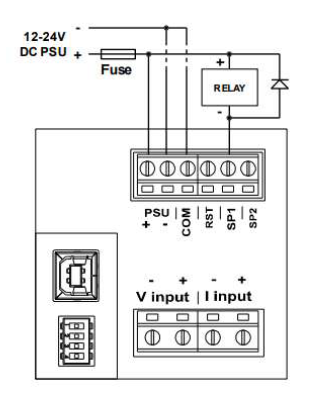
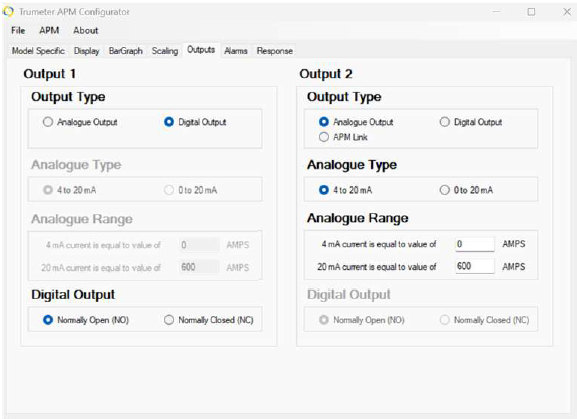
The APM Display allows you to configure outputs as either digital or analogue, depending on your application needs. Digital outputs are best for simple on/off signaling such as alarms or relays, while analogue outputs provide proportional data for monitoring and control systems. View the analog output instructions here.
Digital Output
| Key Specs | |
|---|---|
| Output Type: | Open Collector Transistor (NPN) |
| Maximum Current: | 500mA (supports loads up to 12W) |
| Maximum Voltage: | 24VDC |
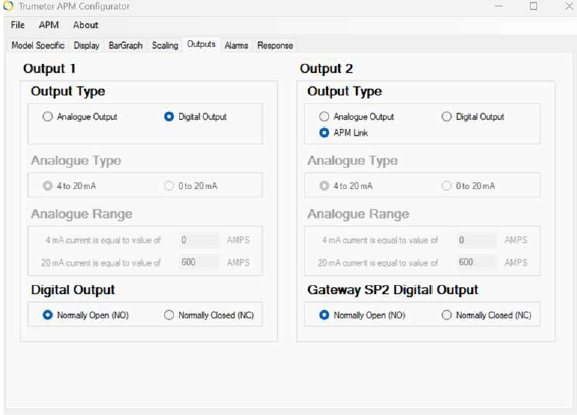
| Configuration: | Can be set to Normally Open (NO) or Normally Closed (NC |
| Using the APM Link | |
|---|---|
|
|
| Wiring Notes | |
|---|---|
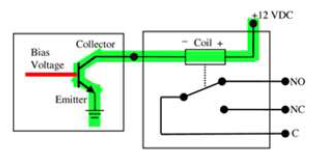
The APM SP1, and SP2 are NPN outputs:
|
|
Collector Output:
|
|